Thursday, February 26, 2015
10 Principles Of Effective Web Design Smashing Magazine
- Link to 10 Principles Of Effective Web Design

"(Web) Users:
- Appreciate quality and credibility!
- Don’t read, they scan!
- Are impatient and insist on instant gratification!
- Don’t make optimal choices.
- Follow their intuition.
- Want to have control (Source)."
No wonder SCORM does not appeal to learners (and educators) (above 5 years old)! Below 5 years old? Only because they think it is some kind of worm, or it sounds cool!
10 PRINCIPLES OF EFFECTIVE WEB DESIGN?
- Don’t make users think!
- Don’t squander users’ patience!
- Manage to focus users’ attention!
- Strive for feature exposure!
- Make use of effective writing!
- Don’t be afraid of the white space!
- Strive for simplicity!
- Communicate effectively with a “visible language”!
- Conventions are our friends!
- Test early, test often!
If this does not make any sense, click here to read between the lines.
SMASHING MAGAZINE? "Founded in September 2006, Smashing Magazine delivers useful and innovative information for designers and web-developers. Our aim is to inform our readers about the latest trends and techniques in web-development. We don’t try to convince you with the quantity, but with the quality of the information we present. That’s what makes us different. In fact, we smash you with the information which will make your life easier. Really (Source)."
MASTERMINDS?
"Smashing Magazine is maintained by Sven Lennartz, the owner of the Dr. Web Magazine and Vitaly Friedman, the creator of The Web Developer’s Handbook (Source)."
OTHER SMASHING POSTS?
The previous post on OCW collections for web designers was an amazing learning discovery. However, I am not sure if I have the time or patience to explore 60+ courses to find nuggets of learning juice relevant and useful to my learning adventure. No doubt the OCW collections have tremendous value, but for now I am simply looking for smashing articles on specific web stuff that I want to learn (Or discover by accident!). And when I discovered this Smashing Magazine, I was like, "This looks interesting! Hey, this looks even more interesting! WOW, this is the one I am looking for!" Smashing Magazine provides you with short and engaging nuggets of learning tailored to the things you really want to know (in design). They smash you with the learning juice!
To illustrate my point, here are some smashing posts (titles) discovered that I really want to explore soon:
- 170+ Expert Ideas From World’s Leading Developers
- Evolve Your User Interface To Educate Your Users
- 30 Usability Issues To Be Aware Of
- 10 Usability Nightmares You Should Be Aware Of
- 20 (Alternate) Ways to Focus on Users
- White Space and Simplicity: An Overview
- 25 Mind-Blowing Gadgets
- Award-Winning Newspaper Designs
- PDF: Five Smashing Wisdom Treasures
- Google PageRank: What Do We Know About It?
- Google AdSense: Facts, FAQs and Tools
- 45 More Excellent Blog Designs
- Monday Inspiration: Innovative Designs and Devices
- Monday Inspiration: User Experience Of The Future
- Monday Inspiration: 3D-Experience in Flash
- 65 Excellent Flash Designs
Absolutely SMASHING! So, if you are looking for a course on web design stuff, you have 60+ courses to explore, and if you want to find some short and juicy learning nuggets on web design, Smashing Magazine is a great alternative. Mix formal and informal learning resources and you might just have a smashing learning experience :)

Monday, February 16, 2015
C Program to Print following series 1 4 7 10 40
#include<iostream.h>
#include<conio.h>
void main()
{
clrscr();
int i,a=-1,b;
for(i=1;i<=40;i+=3)
{
a*=-1;
b=i;
b*=a;
cout<<b<<" ";
}
getch();
}
Sunday, February 15, 2015
USING YOUR BLUETOOTH ENABLED PHONE AS A MODEM UBUNTU 10 4 LTS
 |
| Using your phone as a modem via Bluetooth |
Author: Kibui Kenneth Maina Wed Sep 1, 4:43PM
CLICK ON AN IMAGE TO VIEW THE FULL SIZE IF ITS TOO BURY
1. Go to http://ubuntu-tweak.com/ and install Ubuntu tweak. (It makes it easy for novices and experienced users to configure and manage Ubuntu).
2. After the installation completes go to Applications>System tools> Ubuntu tweak
 |
| Installed Ubuntu tweak |
4. Check Blueman if it is not already checked and click apply. (install to completion)
5. Turn on your phone and computers Bluetooth. (I am Using the Motorolla l6i for this demo).
 |
| Motorola L6i |
6. Go to System>Preferences>Bluetooth Manager
7. Click on the search button on the Bluetooth manager. All available Bluetooth devices will be detected and displayed.
 |
| Installed Bluetooth manager |
8. Click once on your phone on the Bluetooth manager to select it then go to setup on the top bar of the Bluetooth manager.
 |
| A Paring session |
9. Select custom passkey and key in the code of your choice or use mine 0000 then click forward.
 |
| Putting a passkey |
10. Your phone will ask you if you want to pair, select Yes, it will then ask you for a passkey, enter the passkey that you entered into the computer.
11. You will then be asked if you want to connect to dial up networking click forward, select the network that you are on and click on forward.
 |
| Setting up your broadband connection |
12. You will be informed that your device has been added and connected successfully click close.
 |
| Finalizing the set up process |
13.Your Blue tooth manager should appear as follows.
 |
| Your phone connected as a modem |
14. Your panel will appear as follows (no wireless or wired network, one lighting Bluetooth icon one normal Bluetooth icon.
 |
| Your panel before connecting to mobile broadband |
15. Click on your network icon. Go to Mobile broadband and select your network
 |
| Connecting to mobile broadband Internet on your computer |
16. Your connection will appear as shown, with phone network bars appearing where your network connection is supposed to be.
 |
| Your connected mobile broadband ready to go |
|
| A mobile broadband connection on your computer |
17. Open your browser and browse away.... (Make sure you have enough credit), for Safaricom users you can convert your airtime to bundles to save on credit by dialing;
- *100#
- select option 1
- select option 2
- select option 2
- Select the appropriate bundles
Internet Download Manager IDM 6 17 Build 10 full version with crack

Review:
Internet Download Manager (IDM) is a tool to increase download speeds by up to 5 times, resume and schedule downloads. Comprehensive error recovery and resume capability will restart broken or interrupted downloads due to lost connections, network problems, computer shutdowns, or unexpected power outages. Simple graphic user interface makes IDM user friendly and easy to use.Internet Download Manager has a smart download logic accelerator that features intelligent dynamic file segmentation and safe multipart downloading technology to accelerate your downloads. Unlike other download managers and accelerators Internet Download Manager segments downloaded files dynamically during download process and reuses available connections without additional connect and login stages to achieve best acceleration performance.
Internet Download Manager supports proxy servers, ftp and http protocols, firewalls, redirects, cookies, authorization, MP3 audio and MPEG video content processing. IDM integrates seamlessly into Microsoft Internet Explorer, Netscape, MSN Explorer, AOL, Opera, Mozilla, Mozilla Firefox, Mozilla Firebird, Avant Browser, MyIE2, and all other popular browsers to automatically handle your downloads. You can also drag and drop files, or use Internet Download Manager from command line. Internet Download Manager can dial your modem at the set time, download the files you want, then hang up or even shut down your computer when its done.
Other features include multilingual support, zip preview, download categories, scheduler pro, sounds on different events, HTTPS support, queue processor, html help and tutorial, enhanced virus protection on download completion, progressive downloading with quotas (useful for connections that use some kind of fair access policy or FAP like Direcway, Direct PC, Hughes, etc.), built-in download accelerator, and many others.
Version 6.17 adds Windows 8 compatibility, adds IDM download panel for web-players that can be used to download flash videos from sites like MySpaceTV, and others. It also features complete Windows 7 and Vista support, video page grabber, redeveloped scheduler, and MMS protocol support. The new version also adds improved integration for IE 10 and IE based browsers, redesigned and enhanced download engine, the unique advanced integration into all latest browsers, improved toolbar, and a wealth of other improvements and new features.
Screen Shots:


How to Create full version IDM 6.17: Video Tutorial
An Insight into Apple iMovie app and its New Version 10 0 4
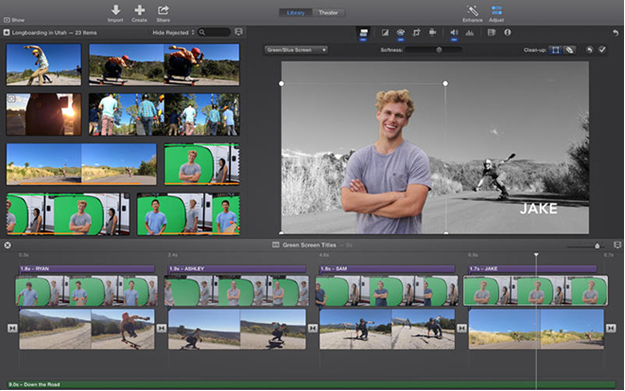
Introduction to iMovie and Its Features

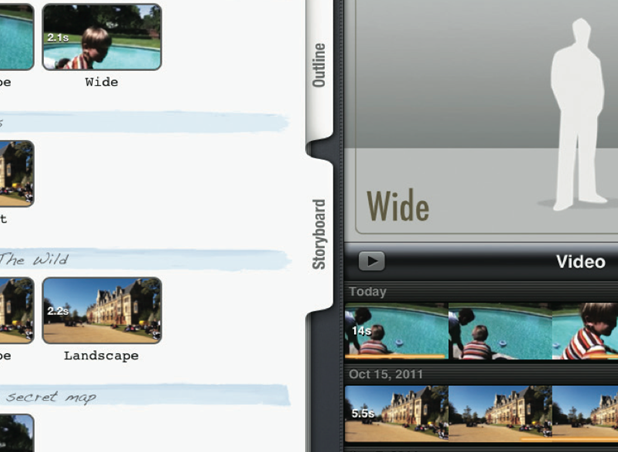
What has iMovie version 10.0.4 in Store for You?
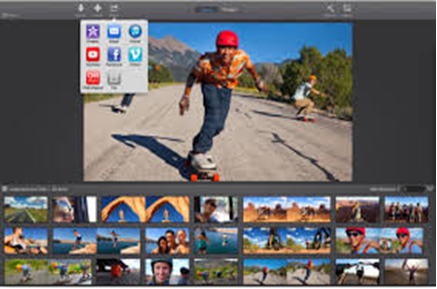
Lets Wrap Up!
Thursday, February 12, 2015
Top 10 Websites to Improve Programming and Coding Skills
Also Read: List of Biggest and Popular Programming Contests
Top 10 Websites to Improve Programming and Coding Skills
Codechef

HackerRank

Project Euler

Topcoder

Programming Praxis

Codeeval

Code Jam

LeetCode

CodingBat

Coderbyte

C Program to print first 10 Prime numbers
#include<iostream.h>
#include<conio.h>
void main()
{
clrscr();
int i,j,count=1,b=0;
cout<<"First Ten Prime Numbers Are
"<<"2";
for(i=3;i>0;++i)
{
for(j=2;j<=i;++j)
{
if(i%j==0)
b=1;
break;
}
if(b==0)
{
cout<<"
"<<i;
count++;
}
b=0;
if(count==10)
break;
}
getch();
}