Showing posts with label programming. Show all posts
Showing posts with label programming. Show all posts
Sunday, February 15, 2015


Functions in C Programming Part 4
In the last tutorial I told you about the passing values to the functions. I hope you had read that tutorial at least twice till now. So today I will tell you about some typical nuances of using functions in C language. I will also tell you about the scope rule of functions. So lets start with our first objective
1. The variables that are passed by main() function are called actual arguments or parameters and the variables in which the user defined function receives those values is called formal arguments or parameters.
2. We can pass any number of actual arguments. But it should be in the same number and order to the formal arguments.
3. We can also use the same variable name for both formal and actual arguments but the compiler will treat them different.
4. Compiler automatically passes the control to the calling function when it encounters the closing brace of user defined function. There is no need for some return statement for it.
5. However if you want to return some value to the calling function then you should use return statement for it.
6. You can use any number of return statements in your program. There is no restriction for that.
7. Some variations while using return statement
return(b);
return(4);
return(2.67);
return;
Last return statement will return any garbage value to the calling function. And we can drop the parenthesis in that case.
8. We can only return one value at a time. It’s a restriction in C. So below statements will not work.
return(x, y);
return(6,4);
9. IMPORTANT – When we change the value of formal arguments then those values will not change in actual arguments.
E.g. Suppose we pass two variables to some function. And in that function I received the values in that variables in some local variable. So when we change the values of those local variables the it will not affect to the values of actual variables.
The simple reason is that the default scope of variables inside some functions is local to it. It means the variables inside main() function can only be accessed in main() function. We cannot access them in any other function. So that is why we have to pass values to the user defined functions explicitly.
Rules for using functions in C
1. The variables that are passed by main() function are called actual arguments or parameters and the variables in which the user defined function receives those values is called formal arguments or parameters.2. We can pass any number of actual arguments. But it should be in the same number and order to the formal arguments.
3. We can also use the same variable name for both formal and actual arguments but the compiler will treat them different.
4. Compiler automatically passes the control to the calling function when it encounters the closing brace of user defined function. There is no need for some return statement for it.
5. However if you want to return some value to the calling function then you should use return statement for it.
6. You can use any number of return statements in your program. There is no restriction for that.
7. Some variations while using return statement
return(b);
return(4);
return(2.67);
return;
Last return statement will return any garbage value to the calling function. And we can drop the parenthesis in that case.
8. We can only return one value at a time. It’s a restriction in C. So below statements will not work.
return(x, y);
return(6,4);
9. IMPORTANT – When we change the value of formal arguments then those values will not change in actual arguments.
E.g. Suppose we pass two variables to some function. And in that function I received the values in that variables in some local variable. So when we change the values of those local variables the it will not affect to the values of actual variables.
Scope Rule of Functions
In this rule I will tell you about the reason behind point number 9 in above rules. Till now you must be asking that why we should pass the values to some function explicitly?The simple reason is that the default scope of variables inside some functions is local to it. It means the variables inside main() function can only be accessed in main() function. We cannot access them in any other function. So that is why we have to pass values to the user defined functions explicitly.
Thursday, February 12, 2015
Best Java Books Top 5 Best Java Programming Books
What are the best java books? This is the first question that comes in our mind when we start learning java programming. So in this article I have made a list of top 5 best java programming books on the basis of their popularity. These books are written for easy learning and are highly recommended for beginners.
List of Top 5 Best Java Books
Java: A Beginners Guide

- Get this Book -
Table of Contents
Java Fundamentals
Introducing Data Types and Operators
Program Control Statements
Introducing Classes, Objects, and Methods
More Data Types and Operators
A Closer Look at Methods and Classes
Inheritance
Packages and Interfaces
Exception Handling
Using I/O
Multithreaded Programming
Enumerations, Autoboxing, Static Import, and Annotations
Generics
Applets, Events, and Miscellaneous Topics
Introducing Swing
Answers to Self Tests
Using Javas Documentation Comment
Index
Head First Java
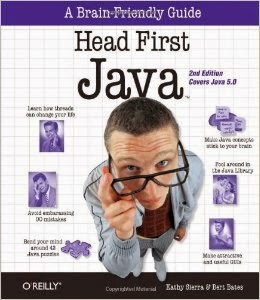
- Get this Book -
Table Of Contents
Introduction
Breaking the Surface: a quick dip
A Trip to Objectville: yes there will be Object
Know Your Variables: primitives and references
How Objects Behave: object state affects method &Junior
Extra-Strength Methods: flow control operations, and more
Using the Java Library: so you dont have to write it all yourself
Better Living in Objectville: planning for the future
Serious Polymorphism: exploiting abstract Classes and interfaces
Life and Death of an Object: constructors and memory management
Numbers Matter: math, formatting, wrappers; and statics
Risky Behavior: exception handing
A Very Graphic Story: intro to GUI, event handling, and inner classes
Work on Your Swing: layout managers to subcomponents
Saving Object: serialization and I/0
Make a Connection: networking sockets and multi-threading
Data Structures: collections and genetics
Release Your Code: packaging and deployment
Distributed Computing: RMI with a dash of serialize, EJE, and Jini
Appendix A: Fatal code kitchen
Appendix B: To 7th Mugs that &diet make it into the rest of the book
Index
Effective Java

- Get this Book -
Table of Contents
Foreword
Preface
Acknowledgments
Introduction
Creating and Destroying Objects
Methods Common to All Objects
Classes and Interfaces
Generics
Enums and Annotations
Methods
General Programming
Exceptions
Concurrency
Serialization
Appendix: Items Corresponding to First Edition
References
Index
Java - The Complete Reference

- Get this Book -
Table of Contents
Part I: The Java Language
The History and Evolution of Java
An Overview of Java
Data Types, Variables and Arrays
Operators
Control Statements
Introducing Classes
A Closer Look at Methods and Classes
Inheritance
Packages and Interfaces
Exception Handling
Multithreaded Programming
Enumerations, Auto-boxing and Annotations (Meta-data)
I / O, Applets and Other Topics
Generics
Lambda Expressions
Part II: The Java Library
String Handling
Exploring java.lang
Java.util Part 1 - The Collections Framework
Java.util Part 2 - More Utility Classes
Input / Output - Exploring Java.io
Exploring NIO
Networking
The Applet Class
Event Handling
Introducing the AWT - Working with Windows, Graphics and Text
Using AWT Controls, Layout Managers and Menus
Images
The Co-currency Utilities
The Stream API
Regular Expressions and Other Packages
Part III: Introducing GUI Programming with Swing
Introducing Swing
Exploring Swing
Introducing Swing Menus
Part IV: Introducing GUI Programming with JavaFX
Introducing JavaFX GUI Programming
Exploring JavaFX Controls
Introducing JavaFX Menus
Part V: Applying Java
Java Beans
Introducing Servlets
Appendix: Using Java’s Documentation Comments
Index
Programming With Java

- Get this Book -
Table of Contents
Chapter 1: Fundamentals of Object-Oriented Programming
Chapter 2: Java Evolution
Chapter 3: Overview of Java Language
Chapter 4: Constants, Variable and Data types
Chapter 5: Operators and Expressions
Chapter 6: Decision Making and Branching
Chapter 7: Decision Making and Looping
Chapter 8: Classes, Objects and Methods
Chapter 9: Arrays, Strings and Vectors
Chapter 10: Interfaces: Multiple Inheritance
Chapter 11: Packages: Putting Classes Together
Chapter 12: Multithreading Programming
Chapter 13: Managing Error and Exceptions
Chapter 14: Applet Programming
Chapter 15: Graphics Programming
Chapter 16: Managing Inputs/Output Files in Java
Chapter 17: Java Collections
Appendices
Appendix A: Java Language Reference
Appendix B: Java Keywords
Appendix C: Difference between Java C/C++
Appendix D: Bit-level Programming
Appendix E: Java API Packages
Appendix F: Java Classes and their Packages
Appendix G: Assertion and Design by Contract
Appendix H: Java Version History
Appendix I: Deprecated Classes and Methods
Appendix J: Statistics of Java Packages
Appendix K: SCJP Exam Model Questions
Appendix L: Points to Remember
Appendix M: Common Coding Errors
Appendix N: Glossary of Java Terms
Appendix O: Projects
Bibliography
Index
Top 10 Websites to Improve Programming and Coding Skills
The best way to improve programming and coding skills is to solve problems regularly. To make your task a little bit easier I have done research and found some awesome websites. In this article I am sharing some best websites that provides puzzles and problems. You can enhance your skills by solving these problems in any language you know. Some of these websites also organize competitions regularly. If you have good skills you can even win cash prizes by winning such competitions.
Also Read: List of Biggest and Popular Programming Contests
Also Read: List of Biggest and Popular Programming Contests
Top 10 Websites to Improve Programming and Coding Skills
Codechef

HackerRank

Project Euler

Topcoder

Programming Praxis

Codeeval

Code Jam

LeetCode

CodingBat

Coderbyte

If you know about more such websites than please mention it in the comment section, I will love to add them in this list.
Happy Coding!! :) :)
Wednesday, February 11, 2015
8 Best Rules for Good Programming Style
Proper programming style significantly reduces maintenance costs and increases the lifetime and functionality of software. Most software disasters are rooted in poor style of programming. In this article I am listing out the 8 best rules that lead to a better programming style.
Also Read: 5 Tips to Become a Better Programmer

Readability
Good code is written to be easily understood by colleagues. It is properly and consistently formatted and uses clear, meaningful names for functions and variables. Concise and accurate comments describe a natural decomposition of the software’s functionality into simple and specific functions. Any tricky sections are clearly noted. It should be easy to see why the program will work and reason that it should work in all conceivable cases.
Maintainability
Code should be written so that it is straightforward for another programmer to fix bugs or make changes to its functionality later. Function should be general and assume as little as possible about preconditions. All important values should be marked as constants which can be easily changed. Code should be robust to handle any possible input and produce a reasonable result without crashing. Clear messages should be output for input which is not allowed.
Comments
Comments are the first step towards making computer program human readable. Comments should explain clearly everything about a program which is not obvious to a peer programmer. The volume of comments written is meaningless, quality is all that counts.
Block comments are written using /* comments */ style. They should go at the top of every source file and generally include your name, the date your code was written and overall description of the purpose of that program. Block comments should also precede most functions with a description of the function’s purpose; these can be omitted for very short, obvious functions only.
Inline comments are written as //comments, they should go near important lines of code within functions or with variables when they are initialized.
Naming
Names given to classes, variables, and functions should be unambiguous and descriptive. Other guidelines for naming are:
- Capitalization is used to separate multi-word names: StoneMasonKarel.
- The first letter of a class name is always capitalized: GraphicsProgram
- The first letter of a function or variable name is always in lowercase: setFilled().
- The names x and y should only be used to describe coordinates.
- The names i, j, and k should only be used as variables in for loops.
- Other one-letter names should be avoided: area = base * height instead of a = b * h.
- Names of constants are capitalized, with underscores to separate words: BRICK_COLOR.
- Use abbreviations with caution. max instead of maximum is fine, but xprd instead of crossProduct is a problem.
Indentation
Indentation is used to clearly mark control flow in a program. Within any bracketed block, all code is indented in one tab. This includes the class body itself. Each additional for, while, if, or switch structure introduces a new block which is indented, even if brackets are omitted for one line statements. For if statements, any corresponding else statements should line up
White Space
White space is meaningless to compilers, but should be used consistently to improve readability. Typically three blank lines are left in between functions. Individual blank lines are used within functions to separate key sections. Use of spaces varies as well, but inserting one space usually make expression more readable; next = 7 * (prev – 1) is clear than next=7*(prev-1).
Function Usage
Function should be short and accomplish a clear, specific task. As much as possible they should be considered “black boxes” which do not depend on anything except their parameters and can be handle any possible input gracefully. A common rule of thumb is the “Ten Line Rule”, usually function longer than ten lines are trying to do too much and should be simplified.
Another important aspect of functions is that any repeated segments of code should be made into a separate function. This will shorten your program and improve readability.
Output
A final, overlooked aspect of good programming style is how our program output results and information to users. Part of writing professional looking programs is providing clear instructions and results to the users of our programs. This means proper English with no spelling error conditions. One must always assume that writing programs to be used by somebody with no understanding of computer programming whatsoever.
If you liked the article then please share it!
Tuesday, February 10, 2015
Swift A New Programming Language Introduced by Apple For iOS and OS X Development
Swift is an object-oriented programming language for iOS and OS X development which is recently introduced by Apple at its WWDC 2014. It is intended to coexist with Objective-C, the current programming language for Apple operating systems. Swift is designed to be more resilient against erroneous code. It is built with the LLVM compiler.

Also Read: Hack: A New Programming Language Invented by Facebook
Also Read: Hack: A New Programming Language Invented by Facebook
Swift adopts safe programming patterns and adds modern features to make programming easier, more flexible, and more fun. Swift’s clean slate, backed by the mature and much-loved Cocoa and Cocoa Touch frameworks, is an opportunity to reimagine how software development works. On June 2, 2014, the WWDC conference app became the first publicly released Swift app.
Example code
let people = ["Anna": 67, "Beto": 8, "Jack": 33, "Sam": 25]
for (name, age) in people {
println("(name) is (age) years old.")
}

Some awesome features of Swift Programming Language
Safe
Swift pairs increased type safety with type inference, restricts direct access to pointers, and automatically manages memory—making it easy to create secure, stable software.
Modern
Swift includes optionals, generics, tuples, and other modern language features. Inspired by and improving upon Objective-C. Swift code feels natural to read and write.
Powerful
Take advantage of powerful pattern matching in Swift to write simple, expressive code. Format strings naturally with string interpolation. Use frameworks like Foundation and UIKit directly from Swift.
Interactive
Use playgrounds to experiment with new technologies, analyze problems, and prototype user interfaces
Fast
The Swift compiler applies advanced code analysis to tune your code for performance, letting you focus on writing great apps instead of on implementing complex optimizations.
For more details and for learning Swift Programming Language visit https://developer.apple.com/swift/
Sources:
http://en.wikipedia.org/wiki/Swift_(programming_language)
https://developer.apple.com/swift/
Subscribe to:
Posts (Atom)